Why does a lead sometimes appear without a name?
In some cases, a lead may call in but:
- Does not leave a voicemail
- Leaves a message that cannot be understood
- Has caller ID that only shows a city and state
When this happens, AE Sync will still create a lead card, but the name field will be left blank.
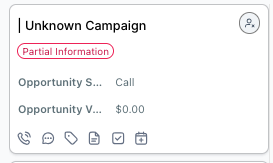
What should I do if a lead is missing contact information?
Follow these steps to update the lead:
Step 1: Contact the Lead
Reach out to the lead to gather their information and determine their needs.
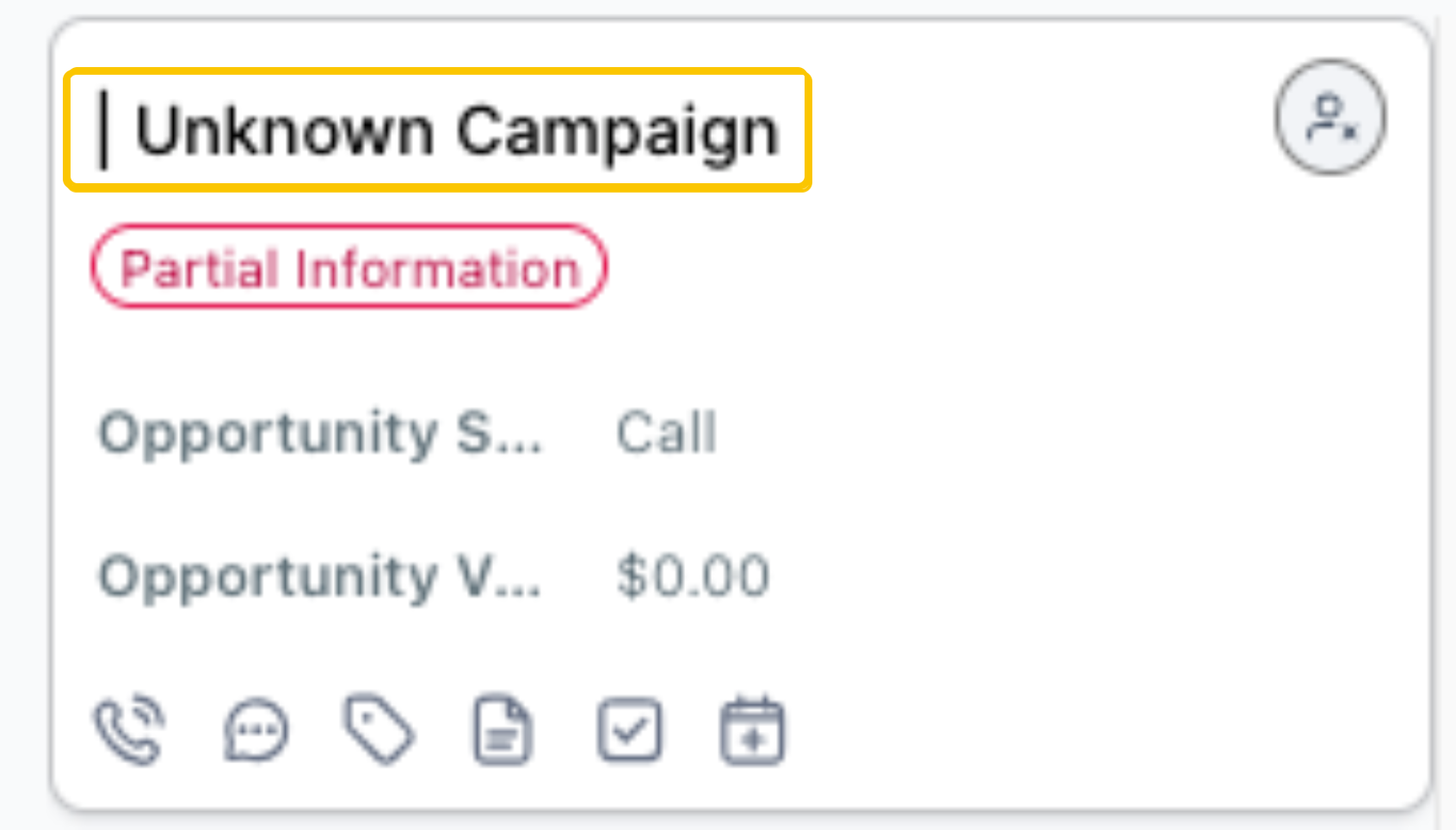
Step 2: Open the Contact Record
Click on the black name field on the lead card to access the contact record.
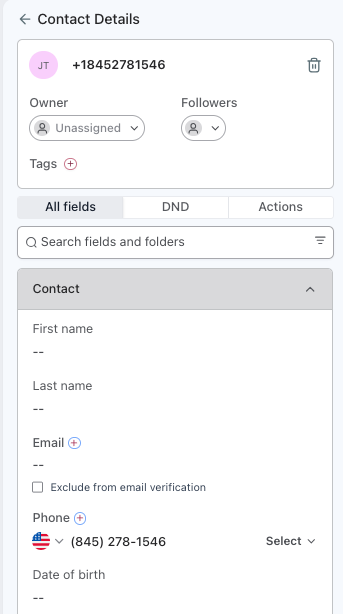
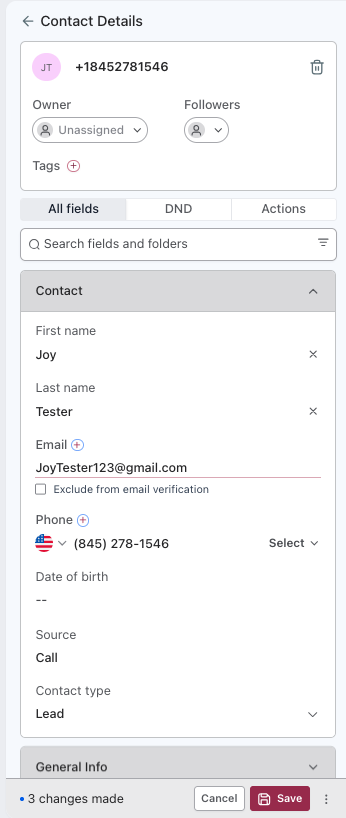
Step 3: Update Contact Information
On the left side of the screen, update:
- First Name
- Last Name
- Phone Number
- Email Address
Click Save at the bottom of the page
? Note:
AE Sync will automatically run Catchlight data in the background. Within approximately 15 minutes, additional information may populate if available.
You do not need to wait for this process to complete before continuing.
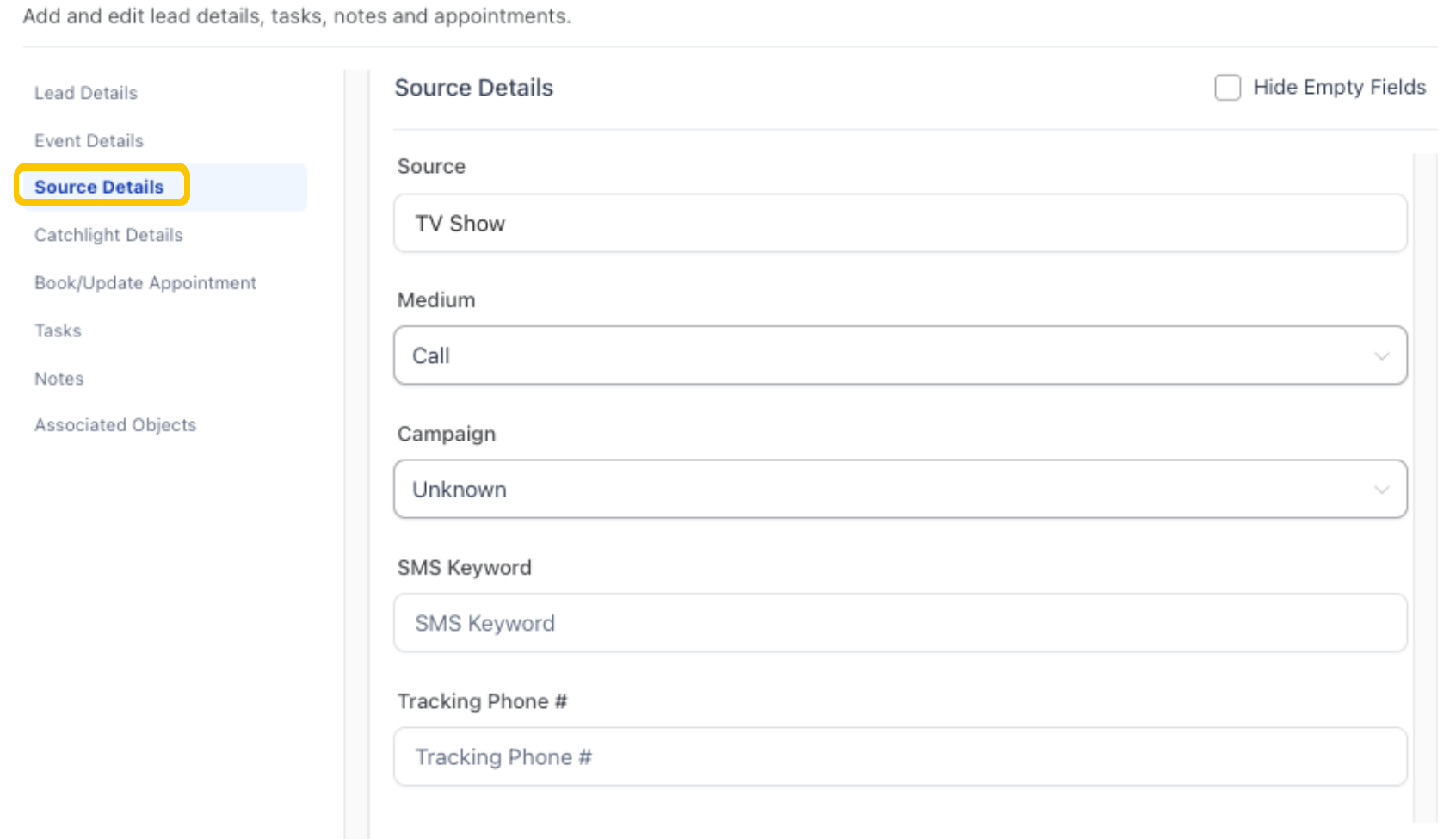
Step 4: Update Campaign on Lead Card
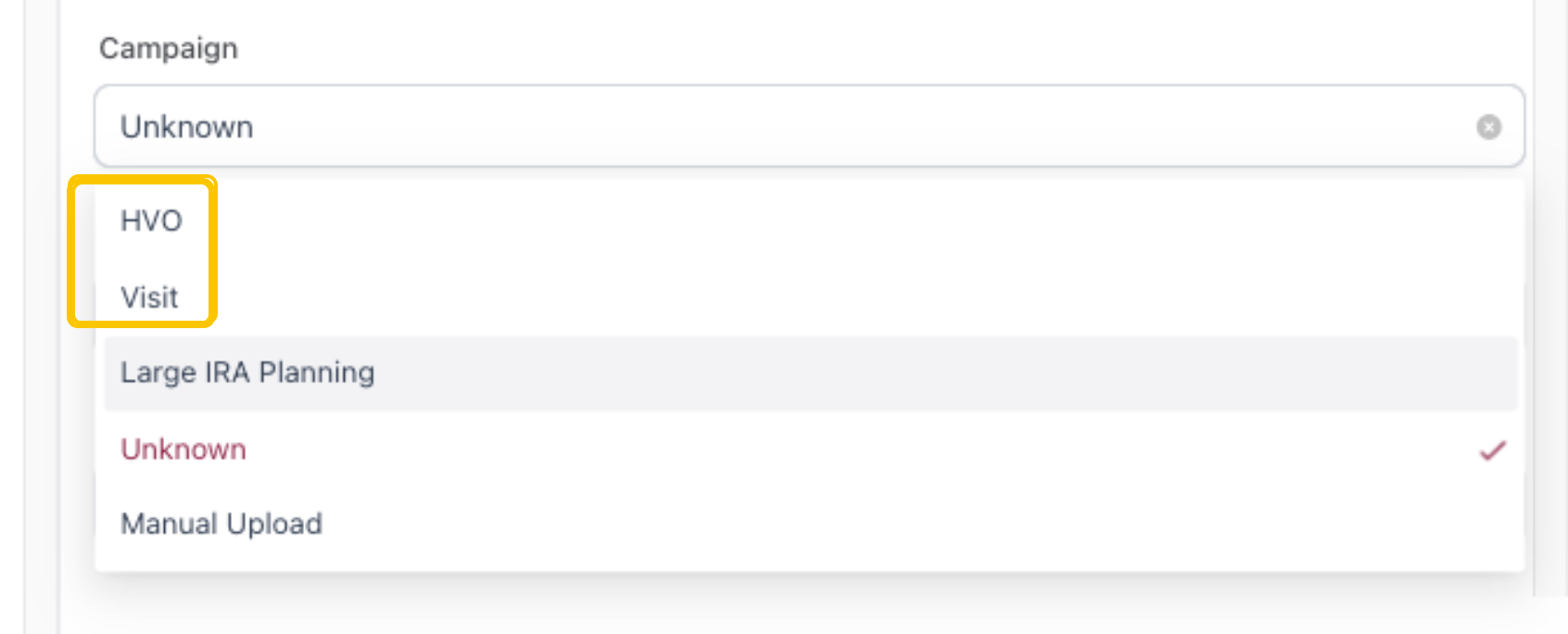
Return to the lead card and update the Campaign field under Source Information:
- HVO → If sending landing pages
- If email was updated, the lead will receive an email linking to the landing page.
- Visit → If the lead has requested a visit
Was this article helpful?
That’s Great!
Thank you for your feedback
Sorry! We couldn't be helpful
Thank you for your feedback
Feedback sent
We appreciate your effort and will try to fix the article